Operations & Management
Multi-User Access Control
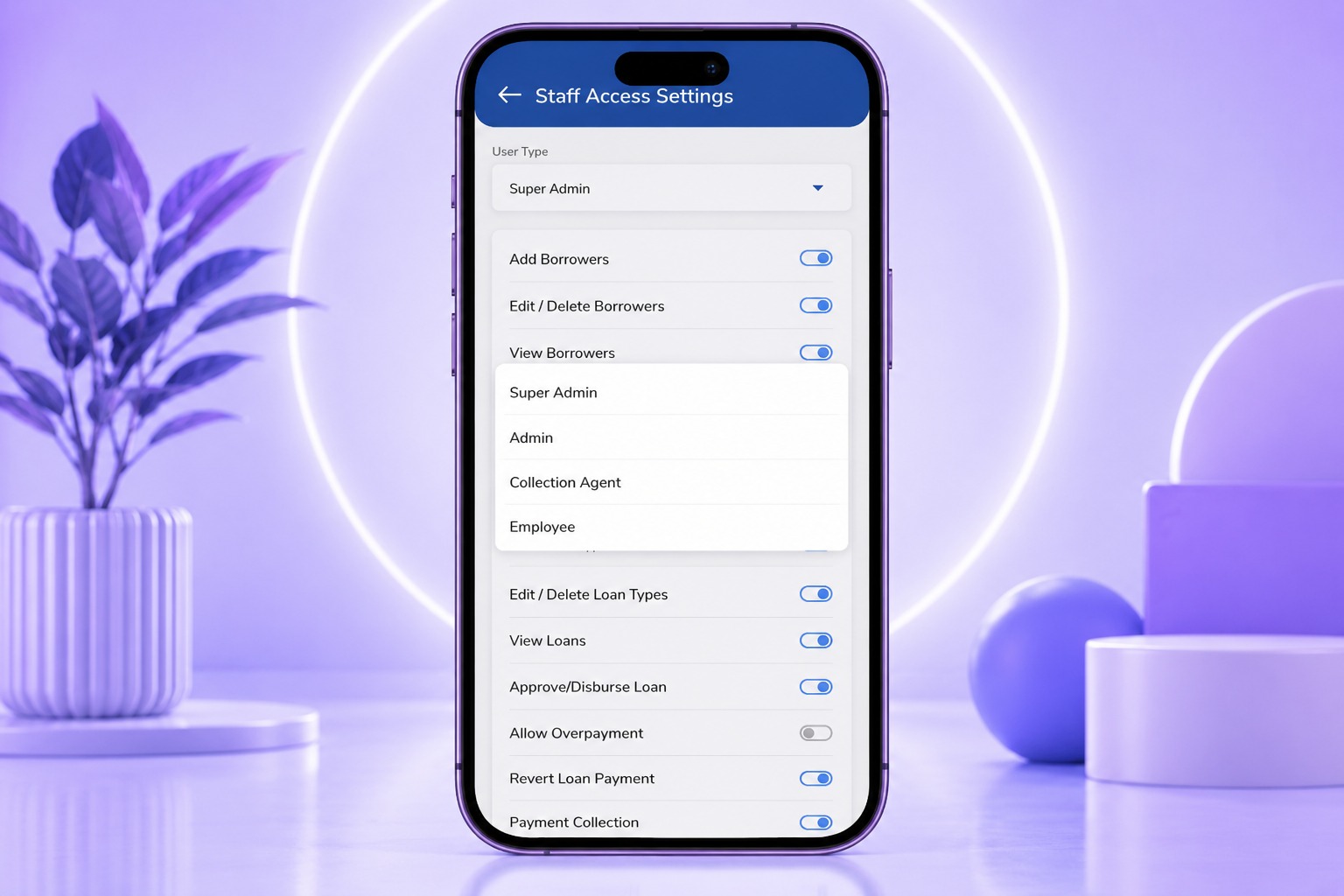
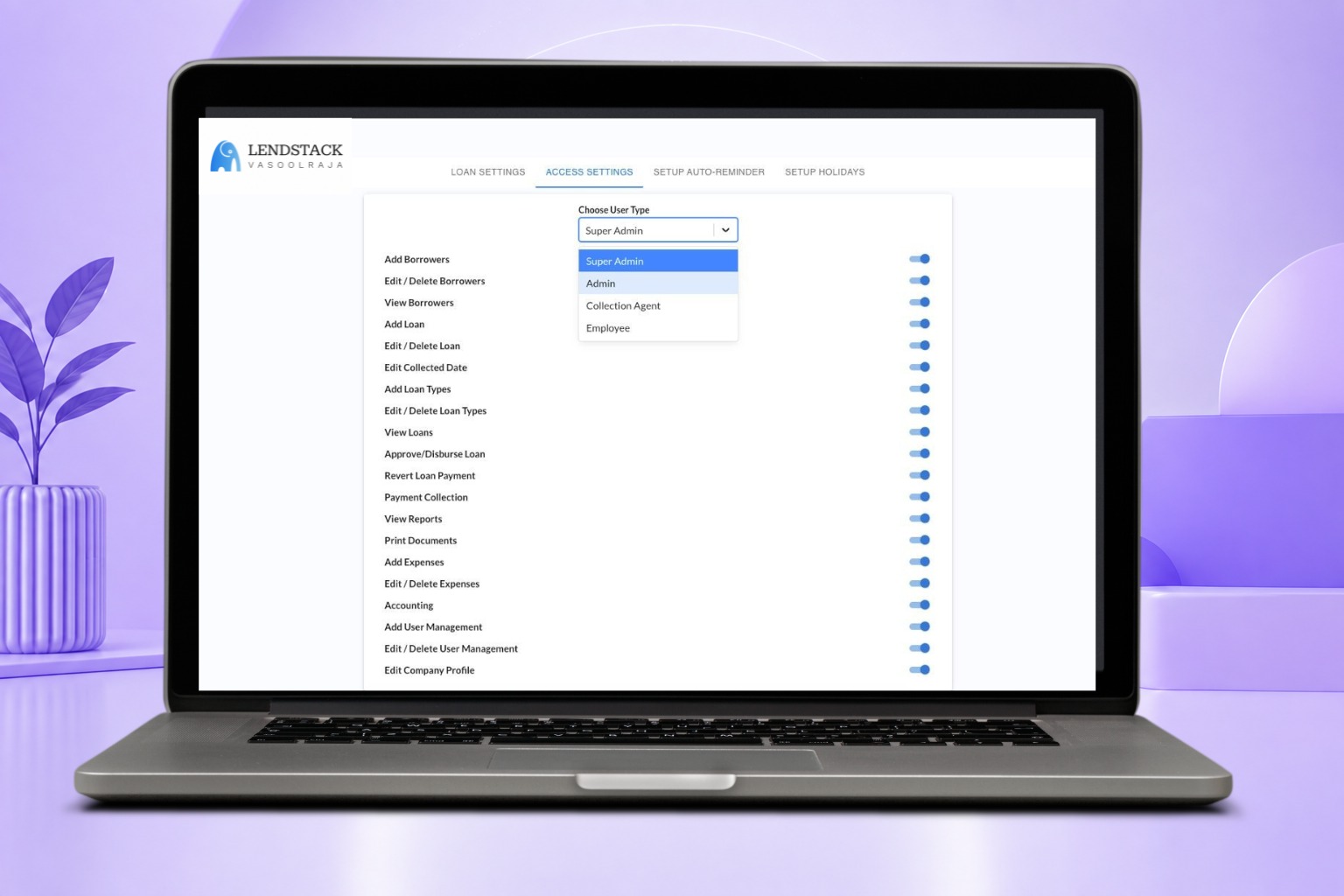
Define granular, role-based permissions so every team member sees exactly what they need to.
Define granular, role-based permissions so every team member sees exactly what they need to.
Create the user from the access control settings.
Set their role and the permissions that come with it.
The user only sees the branches, loans, and reports their role allows.
Define granular, role-based permissions so every team member sees exactly what they need to.
Book a Demo